Connecting a Dyness / Mecer battery
If an inverter already reads the Dyness battery over RS485, then SolarAssistant can not read the battery at the same time. The battery unfortunately doesn't support being read from multiple devices on RS485 at the same time. Set SolarAssistant to "Use inverter values". If your inverter reads a Dyness PowerBrick over CAN, SolarAssistant can read the battery over RS485 at the same time. See the PowerBrick section below.
Protocol selection
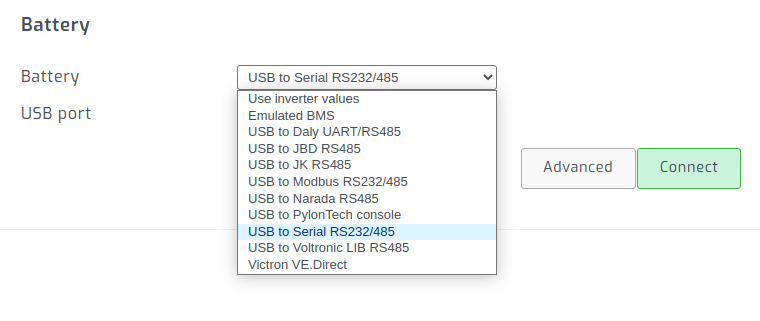
On the SolarAssistant configuration page, select the protocol below.
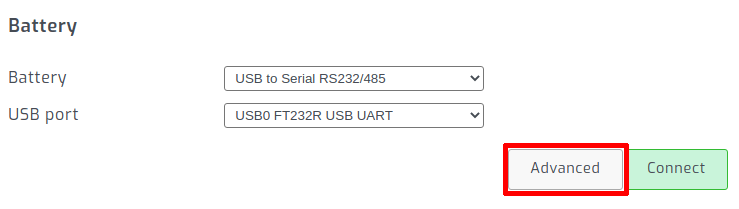
Go to the "Advanced" settings.
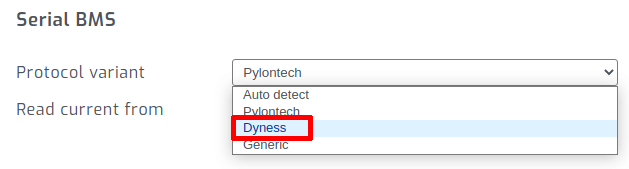
Set the protocol variant to "Dyness".
Dip switch configuration
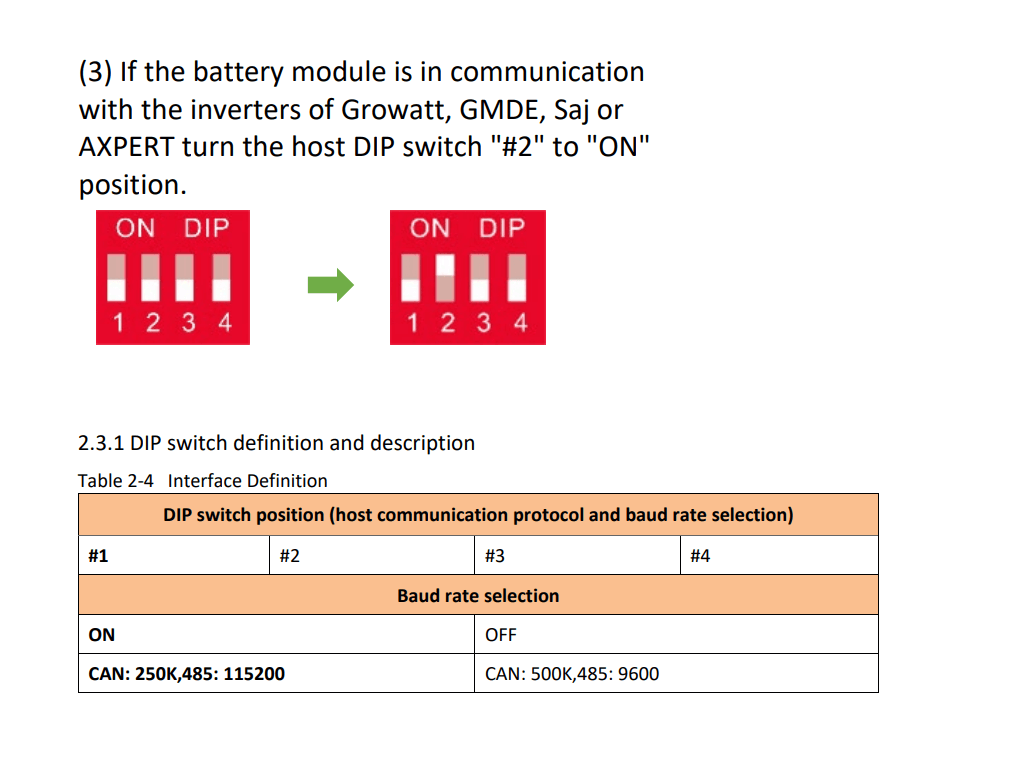
When SolarAssistant is the only device reading the battery over RS485, set your Dyness master battery on the "Axpert" protocol and baud rate 9600. The Dyness battery manual specifies turning only dip switch 2 to ON.
Connection cable - Dyness BX48100, BX51100 and A48100
Connect the Dyness RS485 cable to the battery RS485 IN port.
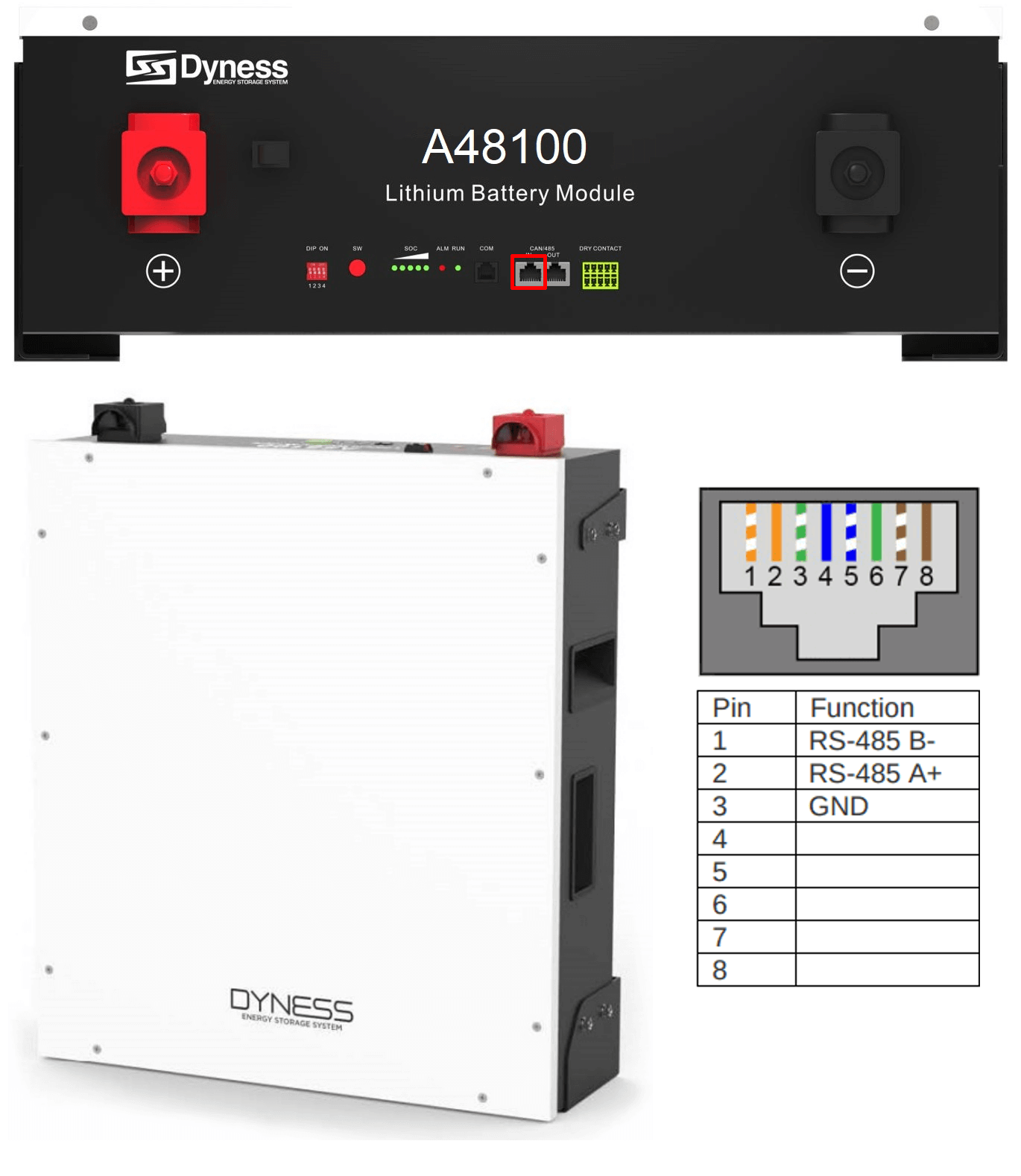
Connection cable - Dyness PowerBrick
Connect the Dyness RS485 cable to the CAN IN port of the master battery. This port carries RS485 on pins 1 and 2 and the inverter CAN connection on pins 4 and 5. Update SolarAssistant to the latest version before connecting a PowerBrick.
If your inverter reads the PowerBrick over CAN (for example Victron, SMA or Deye, with dip switch 3 ON), keep the dip switches on the setting your inverter needs. Plug the RJ45 splitter into the battery's CAN IN port, the inverter's battery cable into the splitter's CAN socket, and the Dyness RS485 cable into the splitter's RS485 socket. The inverter and SolarAssistant then read the battery at the same time.
Dip switch 4 sets the RS485 baud rate: OFF is 9600 and ON is 115200. SolarAssistant finds either one. The PowerBrick reports 15 of its 16 cell voltages over RS485, so SolarAssistant shows 15 cells.
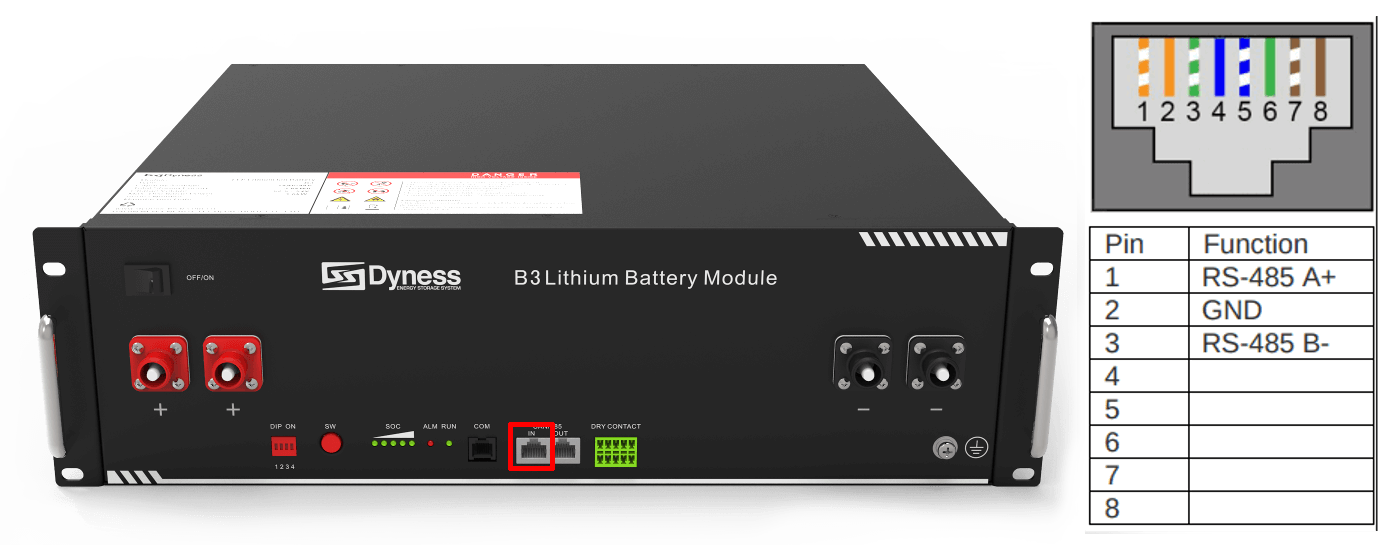
Connection cable - Dyness B3 / Mecer M3000
We do not sell a ready made cable for this battery. If you have a crimping tool, you can crimp your own own cable according to the pinout below.