Cloud API
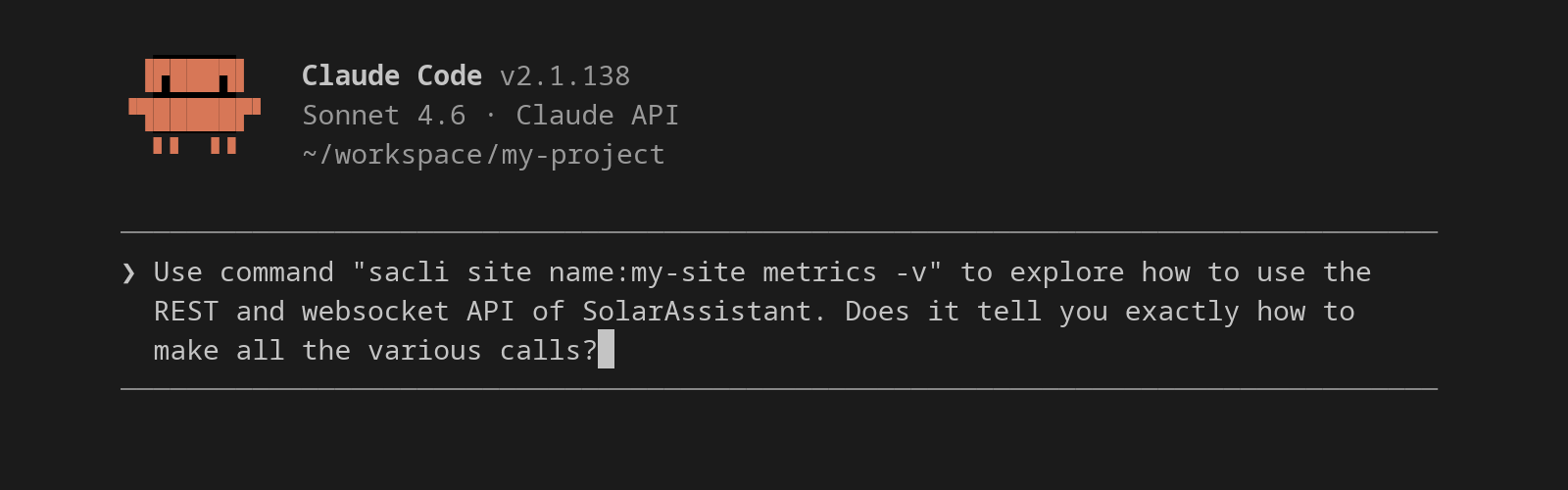
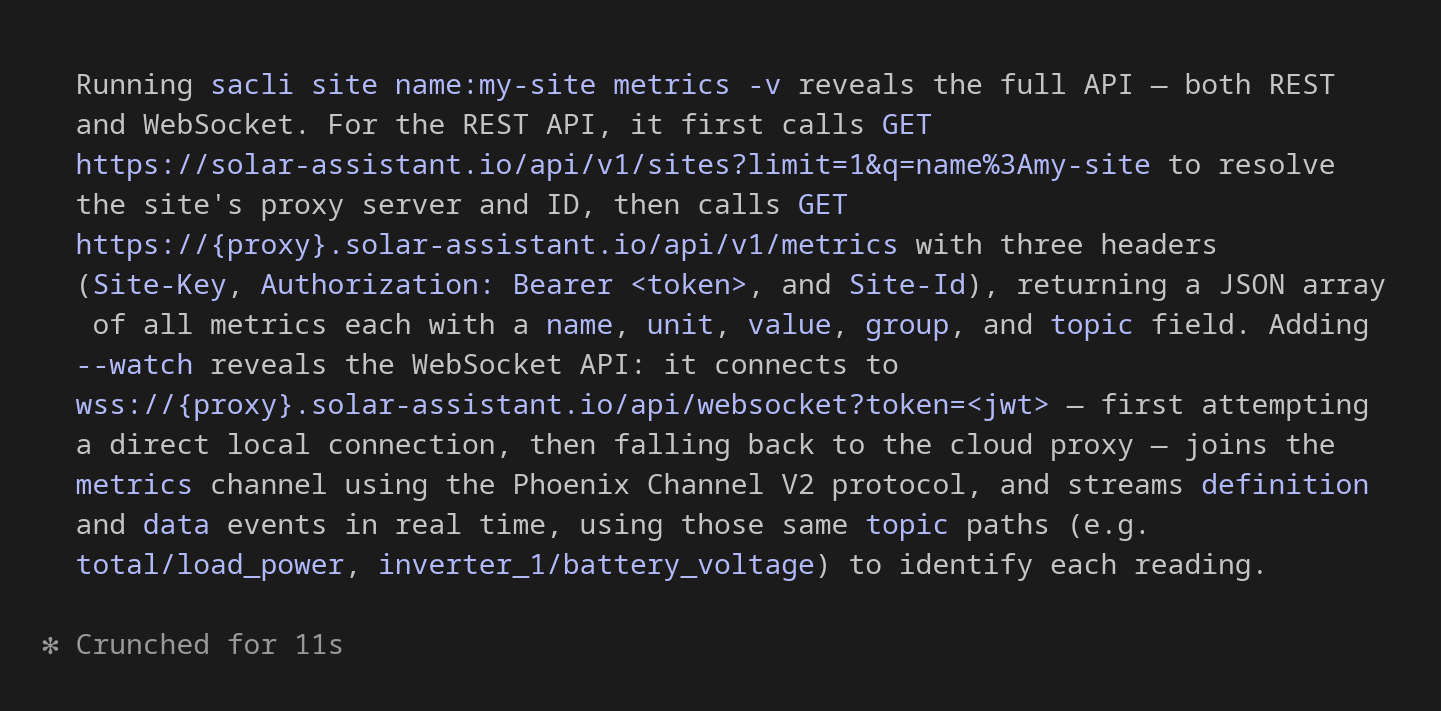
The Cloud API covers site administration (managing sites, members, and access), real-time metrics streamed directly from your devices through the proxy, and user authentication and management for solar businesses building custom web portals or mobile apps.
Client libraries are available for Python and Go. An OpenAPI spec is also available.
Primary endpoints
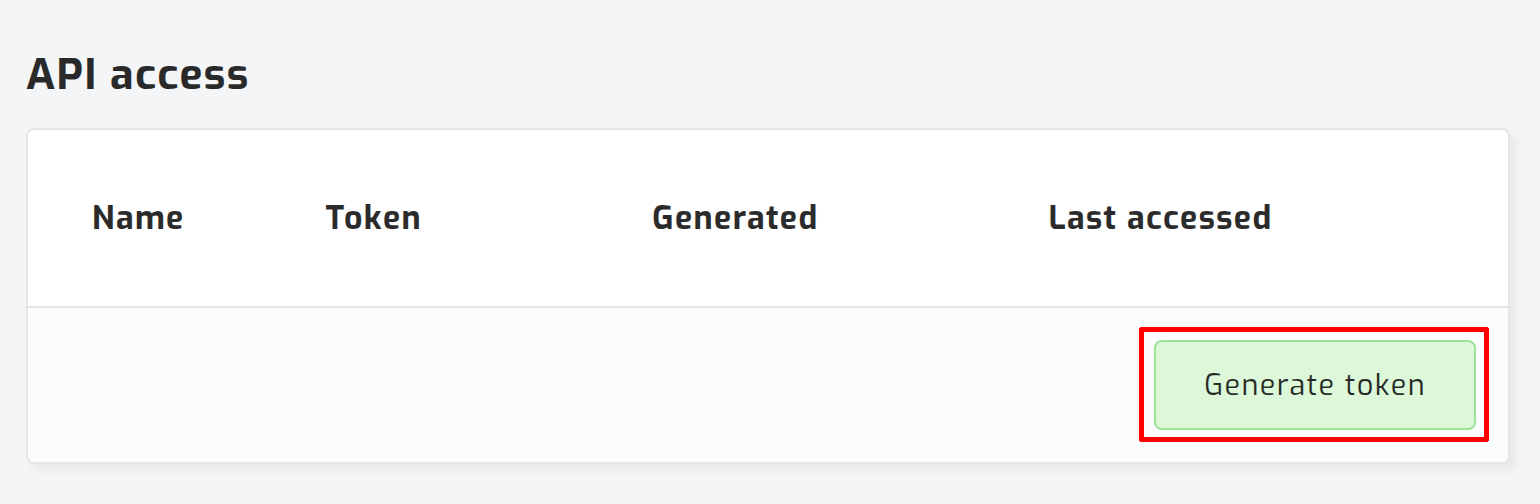
Generate an API token on your user details page and pass it as a Bearer token in the Authorization header on every request:
The host for all primary endpoints below is solar-assistant.io. The endpoints below are available to all users on solar-assistant.io.
GET/api/v1/userGet current user
Returns the authenticated user's profile.
Request
curl -H "Authorization: Bearer <token>" https://solar-assistant.io/api/v1/userResponse
{
  "id": 1,
  "email": "me@example.com",
  "first_name": "Alice",
  "last_name": "Smith",
  "phone_number": "+1 555 000 0000",
  "locale": "en"
}GET/api/v1/sitesList all sites on the account
Returns all sites associated with the authenticated account.
Request
curl -H "Authorization: Bearer <token>" https://solar-assistant.io/api/v1/sitesResponse
[
  {
    "id": 19489,
    "name": "my-site",
    "proxy": "us-htz-1",
    "last_seen_at": "2026-05-11T12:00:00Z"
  }
]GET/api/v1/sites/:idShow site details
Returns full details for a site including its members and organization.
Path parameters
| id | integerrequired | Site ID from the list sites response. |
Request
curl -H "Authorization: Bearer <token>" https://solar-assistant.io/api/v1/sites/19489Response
{
  "id": 19489,
  "name": "my-site",
  "proxy": "us-htz-1",
  "last_seen_at": "2026-05-11T12:00:00Z",
  "owner": { "id": 1, "email": "me@example.com", "first_name": "Alice", "last_name": "Smith" },
  "organization": { "id": 7, "name": "Acme", "cloud_host": "acme.solar-assistant.io" },
  "users": [
    { "id": 1, "email": "me@example.com", "first_name": "Alice", "last_name": "Smith", "role": "owner" }
  ]
}POST/api/v1/sites/registerRegister a site to the account
Claims an unregistered SolarAssistant device and associates it with the authenticated account. If the site is already registered to this account, the existing site is returned.
Body parameters
| uid | stringrequired | Unique identifier of the device. |
| name | string | Display name for the site. |
| description | string | Optional description. |
Request
curl -X POST -H "Authorization: Bearer <token>" https://solar-assistant.io/api/v1/sites/register \
  -H "Content-Type: application/json" \
  -d '{"uid": "abc123", "name": "my-site"}'
Response
{
  "id": 19489,
  "name": "my-site",
  "proxy": "us-htz-1",
  "last_seen_at": "2026-05-11T12:00:00Z",
  "owner": { "id": 1, "email": "me@example.com", "first_name": "Alice", "last_name": "Smith" }
}GET/api/v1/sites/:id/usersList site members
Returns all members of a site with their roles.
Path parameters
| id | integerrequired | Site ID from the list sites response. |
Request
curl -H "Authorization: Bearer <token>" https://solar-assistant.io/api/v1/sites/<id>/usersResponse
[
  {
    "id": 1042,
    "email": "owner@example.com",
    "first_name": "Jane",
    "last_name": "Smith",
    "role": "owner"
  }
]
Roles are owner, admin, or member.
POST/api/v1/sites/:id/usersInvite or update a site member
Invites a user by email. If the email belongs to an existing account they are linked immediately; otherwise they receive an invitation email. Posting with an existing member's email updates their role.
Path parameters
| id | integerrequired | Site ID. |
Body parameters
| stringrequired | Email address of the user to invite. | |
| role | stringrequired | member, admin, or owner. |
| first_name | string | Required when inviting a new user (email not yet registered). |
| last_name | string | Required when inviting a new user. |
Request
curl -X POST \
  -H "Authorization: Bearer <token>" \
  -H "Content-Type: application/json" \
  -d '{"email":"tech@example.com","role":"admin","first_name":"Bob","last_name":"Jones"}' \
  https://solar-assistant.io/api/v1/sites/<id>/users
Response
{
  "id": 1099,
  "email": "tech@example.com",
  "first_name": "Bob",
  "last_name": "Jones",
  "role": "admin"
}PATCH/api/v1/sites/:id/users/:user_idUpdate a site member's role
Updates the role of an existing site member. Requires admin or owner access on the site.
Path parameters
| id | integerrequired | Site ID. |
| user_id | integerrequired | ID of the member to update. |
Body parameters
| role | stringrequired | member, admin, or owner. |
Request
curl -X PATCH \
  -H "Authorization: Bearer <token>" \
  -H "Content-Type: application/json" \
  -d '{"role":"admin"}' \
  https://solar-assistant.io/api/v1/sites/<id>/users/<user_id>
Response
{
  "id": 1099,
  "email": "tech@example.com",
  "first_name": "Bob",
  "last_name": "Jones",
  "role": "admin"
}DELETE/api/v1/sites/:id/users/:user_idRemove a site member
Removes a member from the site. The site owner cannot be removed. Requires admin or owner access.
Path parameters
| id | integerrequired | Site ID. |
| user_id | integerrequired | ID of the member to remove. |
Request
curl -X DELETE \
  -H "Authorization: Bearer <token>" \
  https://solar-assistant.io/api/v1/sites/<id>/users/<user_id>
Response
204 No ContentPOST/api/v1/sites/:id/authorizeGenerate site access token
Returns temporary credentials for direct access to a site through the cloud proxy. The token expires after 7 days.
Path parameters
| id | integerrequired | Site ID. |
Request
curl -X POST -H "Authorization: Bearer <token>" https://solar-assistant.io/api/v1/sites/<id>/authorizeResponse
{
  "host": "us-htz-1.solar-assistant.io",
  "site_id": 19489,
  "site_name": "my-site",
  "site_key": "9u10PW2b...",
  "token": "eyJhbGci..."
}
The following endpoints are only available to users that have a registered organization.
GET/api/v1/usersList users
Returns all users.
Query parameters
| offset | integer | Number of records to skip (default 0). |
| limit | integer | Maximum records to return (default 20). |
Request
curl -H "Authorization: Bearer <token>" https://solar-assistant.io/api/v1/usersResponse
[
  {
    "id": 1,
    "email": "me@example.com",
    "first_name": "Alice",
    "last_name": "Smith",
    "phone_number": "+1 555 000 0000",
    "locale": "en"
  }
]
Proxy pass-through endpoints
Since most sites are connected to a proxy server such as us-htz-1.solar-assistant.io, use the site authorize endpoint to get the host, token, and site_key for a site, then send those as headers on every proxy request. See the regions page for a list of all proxies.
GEThttps://<host>/api/v1/metricsMetrics snapshot
This is the same SolarAssistant device REST API you would call on the local network; all the same paths work the same way. The authorize step is needed to authenticate with the proxy in place of local network access.
Headers
| Authorization | stringrequired | Bearer token from the authorize response. |
| Site-Id | integerrequired | Site ID from the authorize response. |
| Site-Key | stringrequired | Site key from the authorize response. |
Request
curl \
  -H "Authorization: Bearer <token>" \
  -H "Site-Id: <site-id>" \
  -H "Site-Key: <site-key>" \
https://<host>/api/v1/metricsWSwss://<host>/api/websocketStream metrics via WebSocket
Streams live metrics using the SolarAssistant WebSocket API through the cloud proxy. Connect with the same credentials returned by the authorize endpoint, passing the token as a query parameter and Site-Id / Site-Key as headers.
Query parameters
| token | stringrequired | Bearer token from the authorize response. |
Headers
| Site-Id | integerrequired | Site ID from the authorize response. |
| Site-Key | stringrequired | Site key from the authorize response. |
Request
wss://<host>/api/websocket?token=<token>&vsn=2.0.0
Site-Id: <site-id>
Site-Key: <site-key>
After connecting, join the metrics channel using the Phoenix Channel V2 protocol. See the WebSocket API docs for channel events and topic format.
Endpoints for custom website or mobile app
These endpoints are for solar businesses building branded customer experiences on top of SolarAssistant, and they are what the custom portal uses. They are designed to be called from browser JavaScript in your custom website or from your custom mobile app. Once a user is signed in, the primary and proxy endpoints above can be used with the returned token.
Private starter kits are available on GitHub for JavaScript and Android, please contact us for access.
POST/api/v1/sign_inSign in
Authenticates a user and returns an API token. Pass organization_id to scope the session to your organization. Also accepts a pending_token in place of a password to complete sign-in after email confirmation (see Register below).
Body parameters
| stringrequired | The user's email address. | |
| password | string | The user's password. Required unless using pending_token. |
| pending_token | string | Token returned by Register. Use this instead of password to sign in after the user confirms their email. |
| organization_id | integerrequired | Your organization ID. |
Request
curl -X POST https://solar-assistant.io/api/v1/sign_in \
  -H "Content-Type: application/json" \
  -d '{"email": "me@example.com", "password": "secret", "organization_id": 7}'
Response
{
  "token": "eyJhbGci...",
  "expires_at": "2026-12-31T00:00:00Z",
  "user": { "id": 1, "email": "me@example.com", "first_name": "Alice", "last_name": "Smith" }
}
Returns HTTP 412 when the account exists but email is not yet confirmed. The response includes a pending_token; poll this endpoint with it until the user clicks the confirmation link.
POST/api/v1/user/confirmConfirm email address
Confirms a user's email address using the token from the confirmation email and returns an API token. Use this when your frontend handles the confirmation URL directly (e.g. yourportal.com/user/confirm/:token) rather than polling via sign_in.
Body parameters
| token | stringrequired | Confirmation token from the URL path. |
| organization_id | integerrequired | Your organization ID. Scopes the returned API token to your organization. |
Request
curl -X POST https://solar-assistant.io/api/v1/user/confirm \
  -H "Content-Type: application/json" \
  -d '{"token": "<token>", "organization_id": 7}'
Response
{
  "token": "eyJhbGci...",
  "expires_at": "2026-12-31T00:00:00Z",
  "user": { "id": 1, "email": "me@example.com", "first_name": "Alice", "last_name": "Smith" }
}POST/api/v1/password/resetRequest password reset
Sends a password reset email to the user. Always returns 200 regardless of whether the email exists, to avoid enumeration. Pass organization_id to brand the email for your organization.
Body parameters
| stringrequired | The user's email address. | |
| verification_token | stringrequired | Bot verification token from /register/verify. |
| organization_id | integer | Your organization ID. The reset email will be branded for this organization. |
Request
curl -X POST https://solar-assistant.io/api/v1/password/reset \
  -H "Content-Type: application/json" \
  -d '{"email": "me@example.com", "verification_token": "<token>", "organization_id": 7}'
Response
{}PUT/api/v1/password/reset/:tokenSet new password
Sets a new password using the token from the reset email. On success returns an API token so the user is immediately signed in.
Path parameters
| token | stringrequired | Token from the password reset email. |
Body parameters
| password | stringrequired | The new password. |
| organization_id | integerrequired | Your organization ID. Scopes the returned API token to your organization. |
Request
curl -X PUT https://solar-assistant.io/api/v1/password/reset/<token> \
  -H "Content-Type: application/json" \
  -d '{"password": "newpassword", "organization_id": 7}'
Response
{
  "token": "eyJhbGci...",
  "expires_at": "2026-12-31T00:00:00Z",
  "user": { "id": 1, "email": "me@example.com", "first_name": "Alice", "last_name": "Smith" }
}PUT/api/v1/password/set/:tokenSet password from invite
Sets a password for a user invited via site membership. The token comes from the invitation email. If the account is not yet confirmed it is confirmed automatically. On success returns an API token so the user is immediately signed in.
Path parameters
| token | stringrequired | Token from the invitation email. |
Body parameters
| password | stringrequired | The new password. |
| accepted_terms | boolean | Whether the user has accepted the terms of service. |
| organization_id | integerrequired | Your organization ID. Scopes the returned API token to your organization. |
Request
curl -X PUT https://solar-assistant.io/api/v1/password/set/<token> \
  -H "Content-Type: application/json" \
  -d '{"password": "newpassword", "organization_id": 7}'
Response
{
  "token": "eyJhbGci...",
  "expires_at": "2026-12-31T00:00:00Z",
  "user": { "id": 1, "email": "me@example.com", "first_name": "Alice", "last_name": "Smith" }
}POST/api/v1/registerRegister a new user account
Creates a new user account and sends a confirmation email. Registration is a three-step sequence:
- Get a verification token: open https://solar-assistant.io/register/verify in a WebView (mobile) or iframe (web). The page shows a compact bot-verification widget and on completion sends a postMessage with { verification_token: "..." }. The token is single-use and expires after a few minutes.
- Register: POST to this endpoint with the user's email, password, verification_token, and your organization_id. On success you receive a pending_token.
- Sign in after confirmation: once the user clicks the confirmation link in their email, POST to POST /api/v1/sign_in with { email, pending_token }. Returns the full API token. Poll until it succeeds (returns HTTP 412 while unconfirmed).
Body parameters
| stringrequired | Email address for the new account. | |
| password | stringrequired | Password for the new account. |
| verification_token | stringrequired | Bot verification token from /register/verify. |
| first_name | string | The user's first name. |
| last_name | string | The user's last name. |
| phone_number | string | The user's phone number. |
| accepted_terms | boolean | Whether the user has accepted the terms of service. |
| organization_id | integerrequired | Your organization ID. The confirmation email will be branded for this organization. |
Request
curl -X POST https://solar-assistant.io/api/v1/register \
  -H "Content-Type: application/json" \
  -d '{"email": "me@example.com", "password": "secret", "verification_token": "<token>", "organization_id": 7}'
Response
{
  "next_step": "click_email_link",
  "pending_token": "abc123",
  "user": { "email": "me@example.com" }
}