Doar achiziții online.
Doar achiziții online.
Doar achiziții online.
Doar achiziții online.
Doar achiziții online.
Doar achiziții online.
Doar achiziții online.
Doar achiziții online.
Doar achiziții online.
Doar achiziții online.
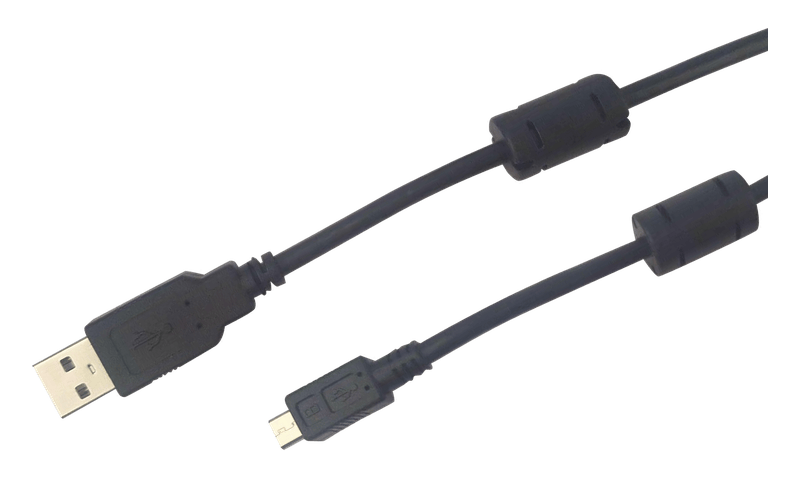
Micro USB data cable to connect newer Voltronic inverters to SolarAssistant.
The cable has a ferrite bead at each end. Inverters create a lot of electrical noise, and the ferrite beads suppress high frequency interference on the cable, so data between the inverter and SolarAssistant is more reliable.
If you use your own cable, make sure it is a data cable and not a micro USB charging cable. This is the most common mistake when buying a cable for inverter monitoring.
While a micro USB cable is not expensive, the RS232 port of Voltronic inverters is generally more reliable.
The disadvantage of the inverter micro USB port is that the inverter outputs 5.1V USB power through this port which is then connected to the USB bus of the SolarAssistant monitoring device. It usually doesn't cause any issues, and the ferrite beads help to keep noise off this connection, but the RS232 port is more isolated.
A few examples of supported inverters are:
- Axpert
- EG4
- Kodak
- Mecer
- MPP Solar
- Phocos
- RCT
- The Sun Pays
- etc.
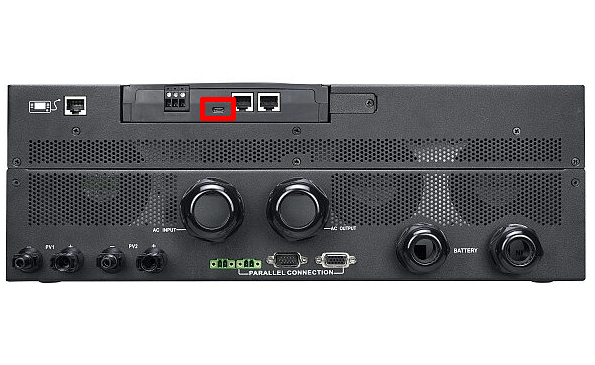
Check that your inverter has a micro USB port:
Specification:
- USB Type A to Micro USB Type B
- USB 2.0
- Length: 2m
- Shielded
- Ferrite beads on both ends
View how to configure in SolarAssistant
A single cable can monitor all inverters in a parallel installation.